This code is based on the Tcl tree.tcl demo with reference to the Python example, dirbrowser.py. The Tcl demo displays all system drives and all directories and files. There doesn't appear to be a simple Pythonic way to do the same and, as the main intent is to demonstrate building a tree hierarchy, I've opted to only display the current working directory.
Showing posts with label Tkinter Treeview. Show all posts
Sunday, July 29, 2012
Thursday, July 26, 2012
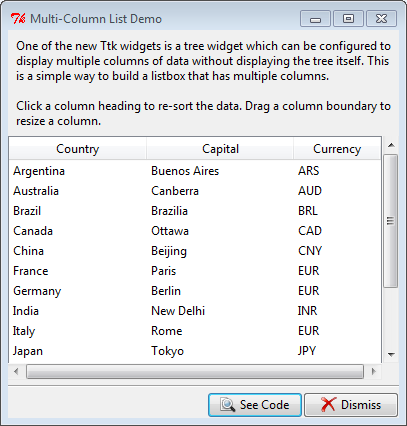
Tkinter Multi-Column List Demo
This code is based on the Tcl mclist.tcl demo, and, gratefully, demo code at svn.python.org. While the demo is for a list it is actually based on the ttk.Treeview widget and not a listbox.
Tkinter assigns the same identifier to the values in each column of the same row. For example, Argentina, Buenos Ares and ARS all have I001 as their identifier while the United States, Washington, DC and USD all have the identifier I00F. When sorting a column, you only need to move the selected column values, tkinter handles moving related items in the same row.
Labels:
Tkinter Demos,
Tkinter Treeview
Subscribe to:
Posts (Atom)